What a Blooket code actually is
When a host starts a Blooket game, Blooket generates a random 7-digit number and pins it to that session. That number is the Game ID — the “code” players type to join. Three properties follow from this design, and they explain almost every code problem:
- Codes are random. They aren't chosen, guessed, or listed anywhere.
- Codes are temporary. They exist only while the session runs; ending the game kills the code.
- Codes are single-lobby. Each live game has its own ID — there is no universal code.
This is also why the code system is classroom-safe: no account, no password, just a number your host reads aloud.
Where to enter a Blooket code
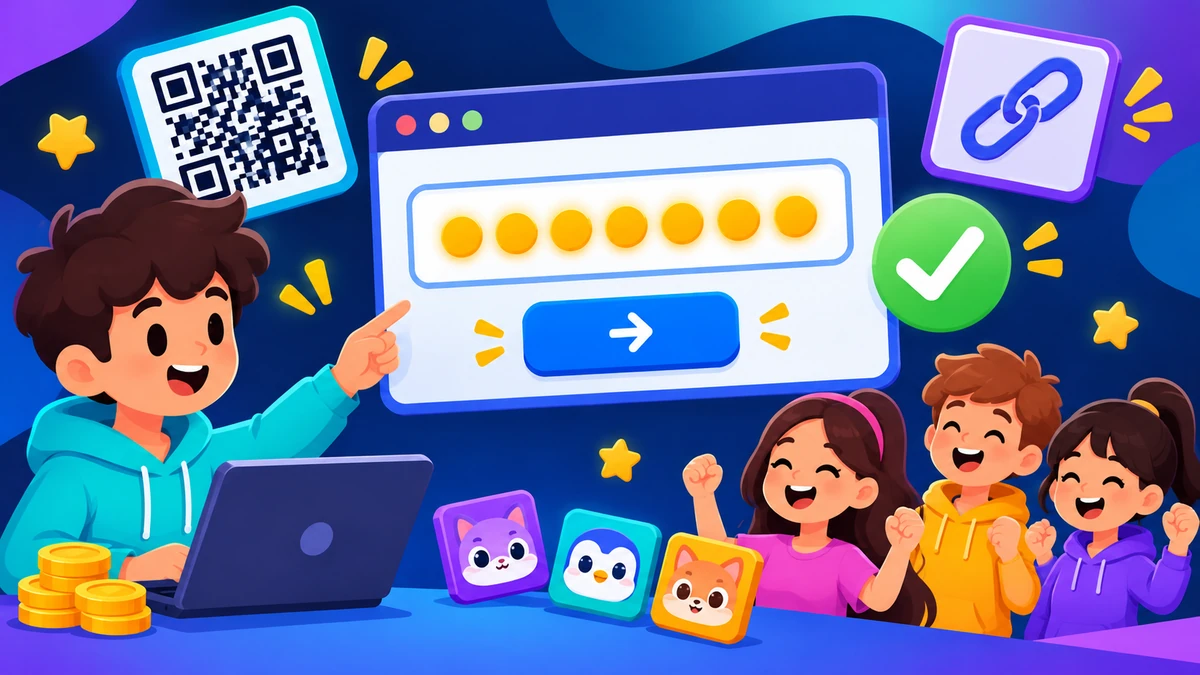
The only real entry point is play.blooket.com. Type the 7 digits into the Game ID field and press Enter — the widget above does exactly this and forwards you to the official screen. Two alternatives skip typing entirely: the host's QR code (camera scans it) and the join link (code is embedded). All three land in the same lobby.
Who generates Blooket codes (and who can't)
Only Blooket's servers generate codes, and only when a host starts a game. Players can't create them, third parties can't predict them, and no website can list them in advance — they don't exist until the session opens and vanish when it ends. Anyone claiming to “sell” or “generate” codes is either running ads on fake numbers or harvesting clicks.
If you need a game to join, the code has to come from a host: a teacher, a friend with an account, or a community game shared directly with you.
Live codes vs homework links vs solo play
| Type | What you get | Lifetime |
|---|---|---|
| Live game code | 7-digit Game ID typed at play.blooket.com | One session — dies when the host ends it |
| Homework link | Share link to an assigned game with a deadline | Days — until the host's due date |
| Solo mode | No code at all — you play your own set | Anytime |
Homework assignments use links rather than typed codes because the game persists — the join-code system only exists for live sessions. And solo play needs nothing but a logged-in account and a set.
Why “active Blooket codes” lists are scams
Search “blooket active codes” and you'll find pages promising working codes for public games. They can't work: codes are random per-session numbers, so a list of them is fiction by definition. Those pages exist to farm ad impressions from students — some also push downloads, account logins, or bot tools. The same logic applies to “free blooket coins codes”: tokens come from playing, not from code lists.
Code not working? Five fixes that cover almost everything
- Count the digits. Codes are exactly 7 digits, numbers only. A missing or extra digit is the #1 cause.
- Verify the session is live. Ask the host if the game is still open — ended games invalidate codes instantly, and this is the #2 cause.
- Check the site. The field must be on play.blooket.com. Look-alike domains don't join anything.
- Rule out a full lobby. If the host capped players and the cap is hit, the code works but rejects new joins.
- Try the QR or link instead. If typing fails but the host's QR code is visible, scanning removes typos from the equation entirely.
Code vs pin vs Game ID vs join link — a mini glossary
| Term | What it means |
|---|---|
| Game ID | Blooket's label for the 7-digit session number |
| Blooket code | Player slang for the Game ID — same thing |
| Blooket pin | Also the Game ID; “pin” carried over from classroom jargon |
| Join link | A URL with the Game ID embedded — one tap to the lobby |
| QR code | The Game ID rendered as a scannable image |
One 7-digit number, four names. If a guide ever mentions a separate “blooket pin system,” it's padding — there is only the Game ID.
Frequently asked questions
What is a Blooket code?
A Blooket code is the 7-digit Game ID for a live game session. The host's screen shows it when the lobby opens, and players enter it at play.blooket.com to join. Codes are random, unique to the session, and stop working the moment the host ends the game.
Where do I enter a Blooket code?
Go to play.blooket.com and type the 7-digit code into the Game ID field, then press Enter. You can also join by scanning the host's QR code or tapping a join link — those carry the code for you.
Why is my Blooket code not working?
The usual causes: a typo (codes are exactly 7 digits), a game that already ended (codes die with the session), a full lobby, or a look-alike site that isn't play.blooket.com. Confirm the code with your host and check the address bar.
Are there active Blooket codes I can use?
No. Blooket codes aren't like game promo codes — they're random session IDs that exist only while a specific game runs. Sites listing 'active codes' or 'working codes' generate fake numbers for ad traffic. To get a real code, ask a host to start a game.
What's the difference between a Blooket code, pin, and Game ID?
In practice they all refer to the same thing — the 7-digit number that identifies a live game. 'Game ID' is Blooket's own label; 'pin' and 'code' are what players call it. Nothing separate exists for joining: one 7-digit number, one lobby.
Related guides: the full join walkthrough · how hosts start games (and make codes) · logging in to save progress